Cup Tracking for a Multi-Robot Trail Mix Line
Building a ROS vision module that tells four robot arms where every cup is, from AprilTag detection to a full live demo.
Role
Computer Vision Engineer
Industry
Robotics
Duration
2 Months

Overview
Twenty teams built a four-arm robotic trail mix line for the ROBO MS thesis reception at Penn. Our team owned cup tracking: a ROS module that detects AprilTags on each cup with a wrist camera, combines them with the arm's forward kinematics, and publishes the cup's location in the robot's base frame at 10 Hz. Eight robot teams used those poses to handle cups, and the full line ran at the May 8 demo.
At a glance…
20 teams building one system
4 Franka Panda arms in two assembly lines
8 robot teams used the cup poses
10 Hz pose publishing rate
25 cups, 3 tags each
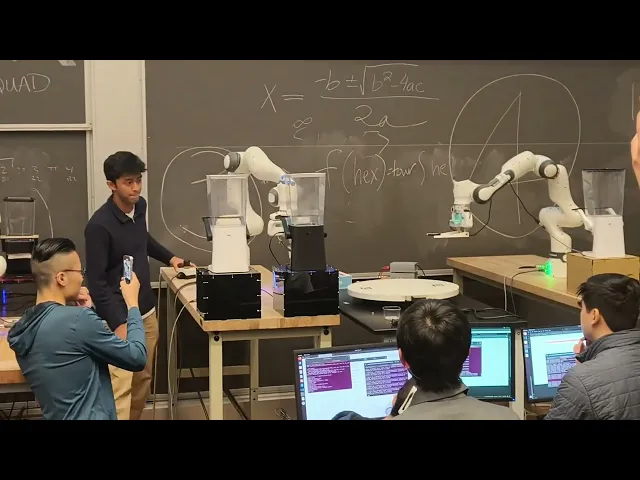
Full demo of the Trail Mix Bar at the ROBO MS reception.
Every Robot in the Line Needed to Know Where the Cups Were
The Trail Mix Bar was a class-wide project in MEAM 5200. Twenty four-person teams each built one module of a single system: four Franka Panda arms arranged in two assembly lines. A service robot takes a cup from a stack and adds cereal, then passes it through a turntable to a toppings robot, which adds nuts and candy and sends it back. The service robot then mixes the trail mix and serves it. The robots work in separate spaces and never hand cups directly to each other.
Course staff provided a basic AprilTag detector that reports tag poses in the camera frame. Nothing turned those detections into a position a robot could plan against. That gap was our module.

Layout of the Trail Mix Bar from the course project brief. Cups start in a stack beside each service robot.
The Module Reports One Thing, in a Form Every Robot Can Use
We started with a written compact that fixed what the module would own and what it would not. It owns detecting cups and publishing their pose in the robot base frame. It does not own dispenser or turntable tracking, planning, scheduling, or camera hardware.
The output is a single message, CupDetection, published on /cup_state at 10 Hz. It carries a pose and a tracking status, and the status switches to not_visible when no detection arrives for 0.5 seconds. Early drafts also carried a cup ID, an order ID, a location, and the assembly state. We cut them. The scheduler is the source of truth for what is in a cup and where it is in the build, and a camera can only report what it currently sees.
Consumers hold on to the last good pose, so a brief occlusion does not stall a robot.
How a detection becomes a cup pose
Wrist camera: image stream from the arm
AprilTag detection: tag pose in the camera frame
Tag pose array: detections collected per robot
cupTracker: forward kinematics and camera offset
/cup_state: pose and status in the base frame, 10 Hz
Where the Tags Go Decided How the Whole Pipeline Works
The cups are small and clear, and the camera is mounted on the robot's wrist, so the arm has to be in the right place before anything can be seen. That made tag placement the most important design decision in the module.
We weighed sweeping the camera to find a single tag against fixing several tags to each cup, and chose three tags per cup: two identical tags on the sides and one unique tag on the bottom. A top-down camera pose reads the bottom tag from above, including on the top cup of a stack. An angled side pose reads the side tags when a cup sits under a dispenser. The second side tag gives a backup when a cup comes back from the turntable rotated. We taped the tags on their edges only, to avoid glare on the clear plastic.

Each cup carries two side tags and one bottom tag. Arrows mark tag orientation.
We started with tag25h9 and moved to tag36h11, the 6x6 family, after Team 3 reported false positives. We split the tag IDs so detections never overlapped: Team 3 used 0 to 25 for the dispensers and turntable, and the cups use 26 and up. Tags were reliable within about 20 centimeters, so both camera poses keep the camera close to the cup.
Two camera poses cover every cup.
Side pose: reads the side tags

Side pose. The arm angles its wrist camera at a cup under a dispenser.

What the camera sees from the side pose: a cup with a side tag in view.
Top-down pose: reads the bottom tag

Top-down pose. The arm points its camera straight down at the cup stack.

What the camera sees from the top-down pose: the bottom tag, with detection axes drawn on it.
From a Tag Pose in the Camera Frame to a Cup Pose in the Base Frame
The detector says where a tag is relative to the camera. A robot plans in its own base frame. We closed the gap by chaining three transforms: the camera-to-tag pose from the detector, the hand-to-camera transform from the TF tree with a measured fallback, and the hand pose in the base frame from forward kinematics on the live joint state. Each tag sits at a fixed place on its cup, so the tag's pose locates the cup.
T_base_tag = T_base_ee(q) · T_ee_camera · T_cam_tag
Base-to-hand pose from forward kinematics, hand-to-camera transform, camera-to-tag detection.
The node waits for the first joint state before publishing, so it never reports a pose computed from zeroed joints. When the tag disappears, the status changes to not_visible and the last pose is held.
Eight Teams Built on the Module
Every robot team that handled a cup depended on this module: service robot teams for picking cups, turntable exchange, cereal dispensing, mixing, and serving, and toppings robot teams for turntable exchange, candy, and nuts. We worked with them on three things. First, the message: they needed a pose and a status, and nothing about assembly state. Second, the two camera poses that put each robot's camera where it could see a cup. Third, the tag conventions on the cups.
With Team 3, who tracked the dispensers and the turntable, we agreed on the tag family and ID ranges so our detections never collided. We shared the tracking poses, the message definition, and the tag conventions with every consuming team.
Who used it
Service robot: pick cups, turntable exchange, cereal dispense, mix, serve
Toppings robot: turntable exchange, candy dispense, nuts dispense
The Same Module Ran on All Four Robots and Through the Full Demo
One codebase ran on every arm, with a launch argument selecting each robot's joint-state topic. Integration turned up three bugs. The joint-state topic resolved in the wrong namespace, so forward kinematics ran with every joint at zero and the cup appeared to move with the camera. A topic remap pointed at a dead link. And robots shared one tag pose topic, so detections crossed between arms. We fixed each with per-robot parameters and remaps, and added the joint-state guard described above. Because each bug had a distinct symptom, we debugged the transform chain link by link.
On May 8, the full line ran at the ROBO MS thesis reception, and the downstream teams used the cup poses from /cup_state to move cups through the pipeline.
Step 1: Picking Up the Cup
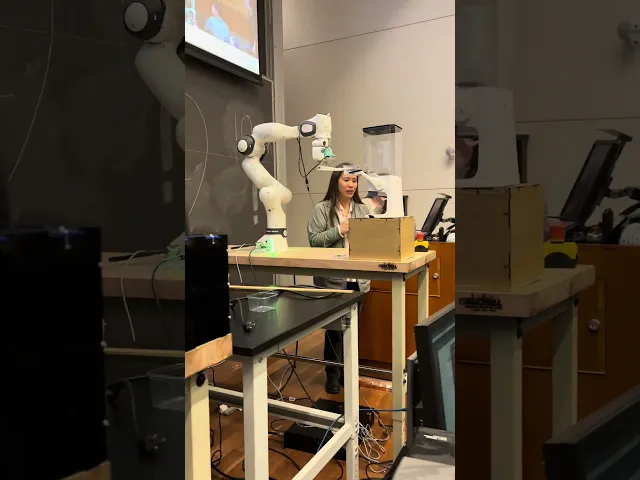
Step 2: Service Exchange
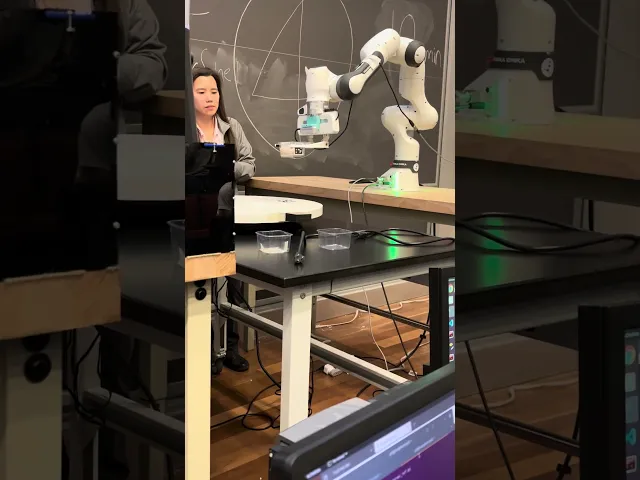
Step 3: Toppings Exchange
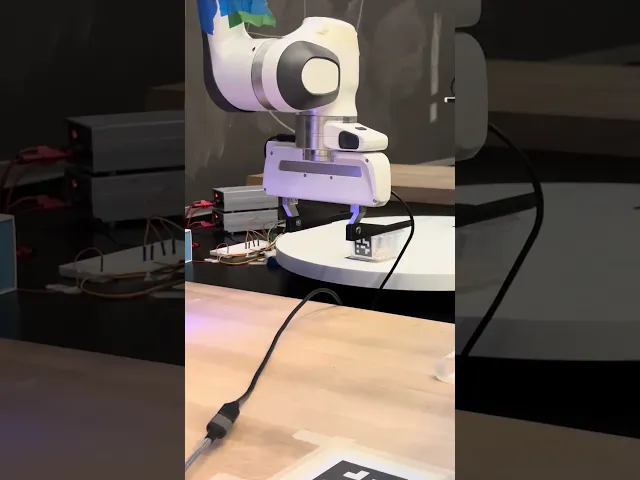
Step 4: Mixing Ingredients
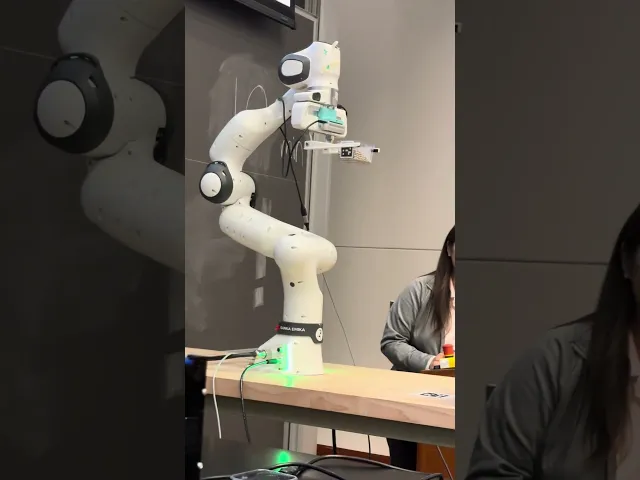
Step 5: Serving the Cup to the Customer
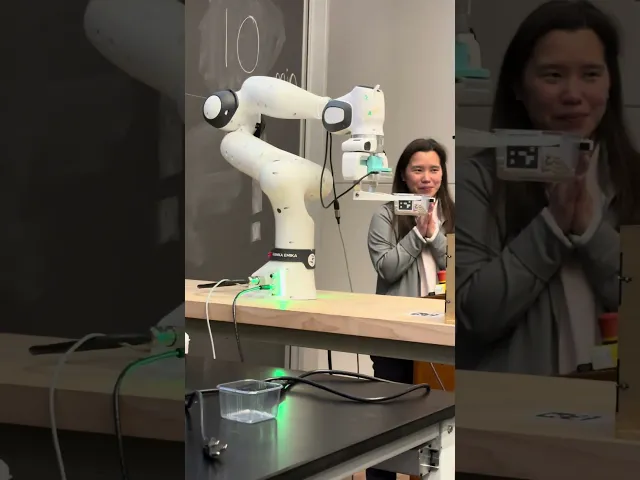
Three Things I Took From It
Integration starts with the interface. Building one module of a shared system taught me to write down scope, inputs, and outputs early, so other teams can build on a module without waiting for it.
Computer vision depends on the physical setup. Tag design, placement, and camera geometry shaped the system as much as the detection algorithm did, and a detection only becomes useful once it is expressed in the robot's own frame.
Robotics debugging is systems debugging. Running one ROS codebase across several robots showed me how much depends on naming, namespaces, and isolating a failure to one link in the chain.
Code: View the repository on GitHub
Team 4: Sidhant Srivastava, Caroline Chen, Pavitpaul Makkar, Aiden Lee. Built on the course-provided AprilTag detector, with Team 3 (World Tracking) on tag conventions.
Overview
Twenty teams built a four-arm robotic trail mix line for the ROBO MS thesis reception at Penn. Our team owned cup tracking: a ROS module that detects AprilTags on each cup with a wrist camera, combines them with the arm's forward kinematics, and publishes the cup's location in the robot's base frame at 10 Hz. Eight robot teams used those poses to handle cups, and the full line ran at the May 8 demo.
At a glance…
20 teams building one system
4 Franka Panda arms in two assembly lines
8 robot teams used the cup poses
10 Hz pose publishing rate
25 cups, 3 tags each
Full demo of the Trail Mix Bar at the ROBO MS reception.
Every Robot in the Line Needed to Know Where the Cups Were
The Trail Mix Bar was a class-wide project in MEAM 5200. Twenty four-person teams each built one module of a single system: four Franka Panda arms arranged in two assembly lines. A service robot takes a cup from a stack and adds cereal, then passes it through a turntable to a toppings robot, which adds nuts and candy and sends it back. The service robot then mixes the trail mix and serves it. The robots work in separate spaces and never hand cups directly to each other.
Course staff provided a basic AprilTag detector that reports tag poses in the camera frame. Nothing turned those detections into a position a robot could plan against. That gap was our module.
Layout of the Trail Mix Bar from the course project brief. Cups start in a stack beside each service robot.
The Module Reports One Thing, in a Form Every Robot Can Use
We started with a written compact that fixed what the module would own and what it would not. It owns detecting cups and publishing their pose in the robot base frame. It does not own dispenser or turntable tracking, planning, scheduling, or camera hardware.
The output is a single message, CupDetection, published on /cup_state at 10 Hz. It carries a pose and a tracking status, and the status switches to not_visible when no detection arrives for 0.5 seconds. Early drafts also carried a cup ID, an order ID, a location, and the assembly state. We cut them. The scheduler is the source of truth for what is in a cup and where it is in the build, and a camera can only report what it currently sees.
Consumers hold on to the last good pose, so a brief occlusion does not stall a robot.
How a detection becomes a cup pose
Wrist camera: image stream from the arm
AprilTag detection: tag pose in the camera frame
Tag pose array: detections collected per robot
cupTracker: forward kinematics and camera offset
/cup_state: pose and status in the base frame, 10 Hz
Where the Tags Go Decided How the Whole Pipeline Works
The cups are small and clear, and the camera is mounted on the robot's wrist, so the arm has to be in the right place before anything can be seen. That made tag placement the most important design decision in the module.
We weighed sweeping the camera to find a single tag against fixing several tags to each cup, and chose three tags per cup: two identical tags on the sides and one unique tag on the bottom. A top-down camera pose reads the bottom tag from above, including on the top cup of a stack. An angled side pose reads the side tags when a cup sits under a dispenser. The second side tag gives a backup when a cup comes back from the turntable rotated. We taped the tags on their edges only, to avoid glare on the clear plastic.
Each cup carries two side tags and one bottom tag. Arrows mark tag orientation.
We started with tag25h9 and moved to tag36h11, the 6x6 family, after Team 3 reported false positives. We split the tag IDs so detections never overlapped: Team 3 used 0 to 25 for the dispensers and turntable, and the cups use 26 and up. Tags were reliable within about 20 centimeters, so both camera poses keep the camera close to the cup.
Two camera poses cover every cup.
Side pose: reads the side tags
Side pose. The arm angles its wrist camera at a cup under a dispenser.
What the camera sees from the side pose: a cup with a side tag in view.
Top-down pose: reads the bottom tag
Top-down pose. The arm points its camera straight down at the cup stack.
What the camera sees from the top-down pose: the bottom tag, with detection axes drawn on it.
From a Tag Pose in the Camera Frame to a Cup Pose in the Base Frame
The detector says where a tag is relative to the camera. A robot plans in its own base frame. We closed the gap by chaining three transforms: the camera-to-tag pose from the detector, the hand-to-camera transform from the TF tree with a measured fallback, and the hand pose in the base frame from forward kinematics on the live joint state. Each tag sits at a fixed place on its cup, so the tag's pose locates the cup.
T_base_tag = T_base_ee(q) · T_ee_camera · T_cam_tag
Base-to-hand pose from forward kinematics, hand-to-camera transform, camera-to-tag detection.
The node waits for the first joint state before publishing, so it never reports a pose computed from zeroed joints. When the tag disappears, the status changes to not_visible and the last pose is held.
Eight Teams Built on the Module
Every robot team that handled a cup depended on this module: service robot teams for picking cups, turntable exchange, cereal dispensing, mixing, and serving, and toppings robot teams for turntable exchange, candy, and nuts. We worked with them on three things. First, the message: they needed a pose and a status, and nothing about assembly state. Second, the two camera poses that put each robot's camera where it could see a cup. Third, the tag conventions on the cups.
With Team 3, who tracked the dispensers and the turntable, we agreed on the tag family and ID ranges so our detections never collided. We shared the tracking poses, the message definition, and the tag conventions with every consuming team.
Who used it
Service robot: pick cups, turntable exchange, cereal dispense, mix, serve
Toppings robot: turntable exchange, candy dispense, nuts dispense
The Same Module Ran on All Four Robots and Through the Full Demo
One codebase ran on every arm, with a launch argument selecting each robot's joint-state topic. Integration turned up three bugs. The joint-state topic resolved in the wrong namespace, so forward kinematics ran with every joint at zero and the cup appeared to move with the camera. A topic remap pointed at a dead link. And robots shared one tag pose topic, so detections crossed between arms. We fixed each with per-robot parameters and remaps, and added the joint-state guard described above. Because each bug had a distinct symptom, we debugged the transform chain link by link.
On May 8, the full line ran at the ROBO MS thesis reception, and the downstream teams used the cup poses from /cup_state to move cups through the pipeline.
Step 1: Picking Up the Cup
Step 2: Service Exchange
Step 3: Toppings Exchange
Step 4: Mixing Ingredients
Step 5: Serving the Cup to the Customer
Three Things I Took From It
Integration starts with the interface. Building one module of a shared system taught me to write down scope, inputs, and outputs early, so other teams can build on a module without waiting for it.
Computer vision depends on the physical setup. Tag design, placement, and camera geometry shaped the system as much as the detection algorithm did, and a detection only becomes useful once it is expressed in the robot's own frame.
Robotics debugging is systems debugging. Running one ROS codebase across several robots showed me how much depends on naming, namespaces, and isolating a failure to one link in the chain.
Code: View the repository on GitHub
Team 4: Sidhant Srivastava, Caroline Chen, Pavitpaul Makkar, Aiden Lee. Built on the course-provided AprilTag detector, with Team 3 (World Tracking) on tag conventions.
Other projects

Closed Loop Control for a Novel Steerable Surgical Needle
A stereo computer vision system that follows a tape-spring steerable needle through gel, built at Penn's GRASP Lab (ModLab) with Prof. Mark Yim.

Hand Hygiene Reminder Light for Central Line Care at CHOP
A battery-powered light that reminds nurses to clean their hands before central line care, developed through five prototypes with Children's Hospital of Philadelphia nursing teams.

Imitation Learning on a 6DoF Robot Arm: Peg Transfer
An independent project: collecting demonstrations on an SO-101 arm and comparing ACT, Diffusion Policy, and SmolVLA on a peg transfer task inspired by surgical training.
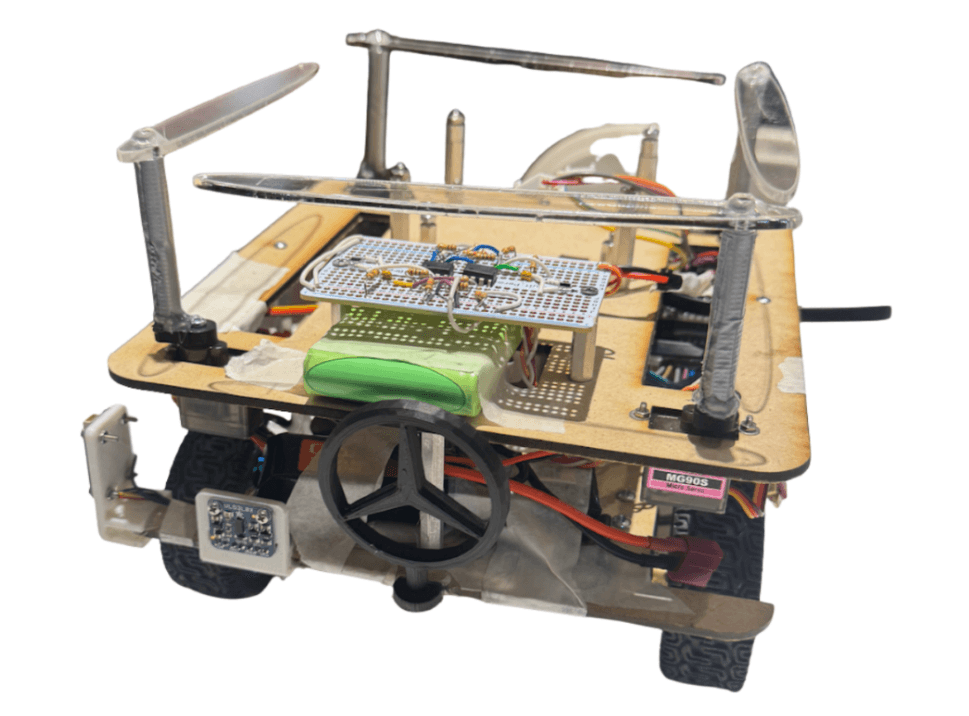
Autonomous Car
Designing and building an autonomous mobile robot with real-time control, localization, and sensing, from system architecture to competition-ready deployment.
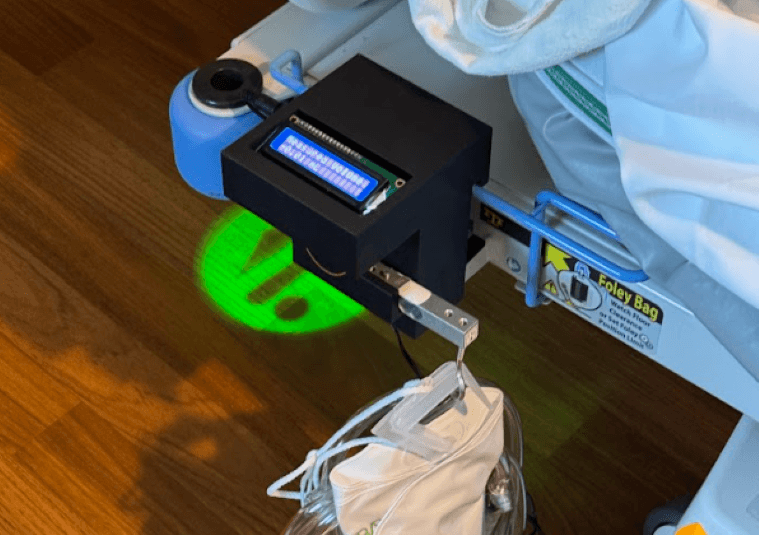
Biofluid Analyzer
Developing a compact bedside urine output monitoring system for critical care, from clinician pain point to deployed prototype and formal pilot study.
Orthopedic Product Development at Exactech
Led surgeon-driven instrument and implant development across CAD, DFM, testing, manufacturing, and 510(k) support through 7 concurrent projects.
Arco: Transformable Desk for Small-Space Living
Arco is a configurable desk system designed for students living in small spaces, created to help people physically and mentally transition between modes throughout the day.
Product Growth at PrimeEventZ
Leading product definition and real-world deployment of PrimeEventZ, an AI-powered platform unifying event operations from planning through execution at any scale.